MODULE 1
Foundations of Color in Lightroom
Introducing…
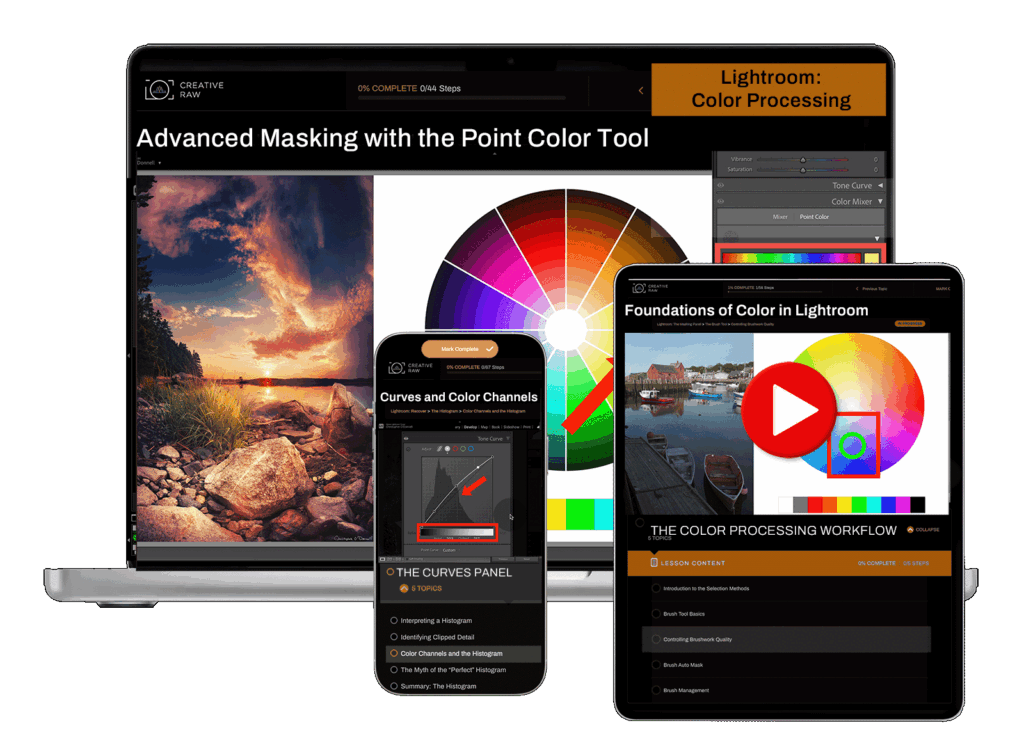
A Comprehensive Lightroom Classic Course on Advanced Color Processing…
Made Just for Landscape Photography.
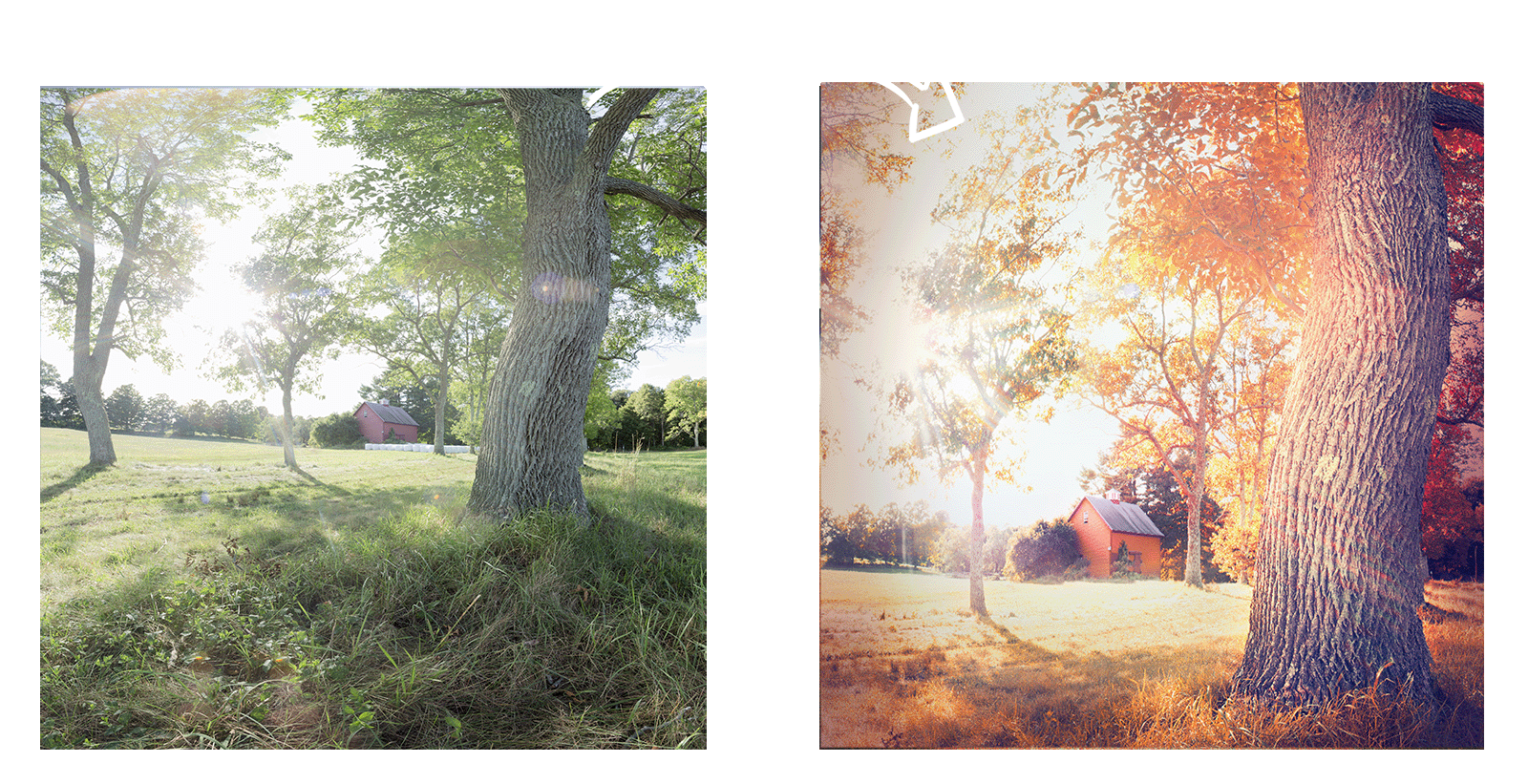
This in-depth 12-module program provides a structured, intent-driven exploration of Lightroom’s most powerful color tools.
Instead of relying on presets and guesswork, you’ll finally understand not just how colors change, but WHY those changes work.
Meet Your Instructor

Have you ever captured a stunning scene in the field, only to discover that those RAW files lack the vibrant colors and dynamic light you saw in person?
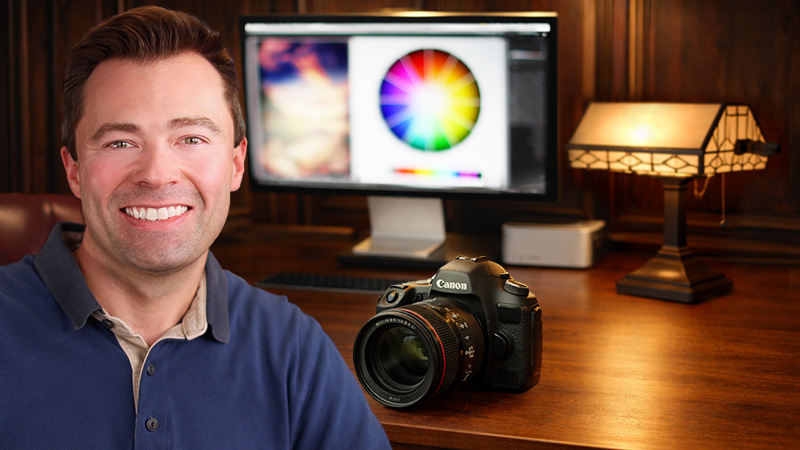
I’m Christopher O’Donnell, a landscape photographer and Lightroom instructor based in Boston, Massachusetts.
And after more than 13 years of teaching Lightroom, I’ve found that most struggles with color processing aren’t caused by a lack of tools or technical knowledge – they stem from uncertainty.
Because it’s easy to learn how to adjust color…the step-by-step mechanics are relatively straightforward. But without understanding when and why to make those adjustments, you’re often left with:
This is a comprehensive, concept-driven course focused entirely on color processing in Lightroom Classic, designed for landscape photographers who want greater clarity and control in their color work.
Across nearly 9 hours of instruction, this course breaks down how color functions structurally and perceptually within an image…showing you how to build your colors with creative intent rather than habit or guesswork.
This is why I created the Art of Color Processing.
Drawing from over 20 years in the field and digital darkroom, this program provides a structured, intent-driven framework that helps you:
Learn how to enhance precision, preserve texture, and make sure that every adjustment you make it perfectly aligned with your creative vision for that image…blending the dynamic power of high-level technical edits with the creative expression of visual storytelling.
Designed as a focused module from my flagship Lightroom for Landscapes program, this self-paced course empowers you to create fine-art quality landscapes that feel vibrant, alive and a true representation of your creativity.
It’s simple. And it works.
Take it From Wayne Here..
“Chris’s knowledge of Lightroom is off the charts…

Wayne Gillepsie
– and his ability to explain it to newbies like me is equally invaluable.
He is so dedicated to his craft and his sharing of this knowledge with the members just shows how passionate he is to teach the world how to master the very intimidating world of Lightroom.
My photography has improved immensely by viewing and using the techniques that are taught. There were many times that I really wanted to throw a brick through my monitor. That is no longer the case. When I get stuck now I will just send a jingle to Chris and he will get right back with a detailed explanation of what I am missing.”
With 12 In-Depth Modules,
You Will Learn:
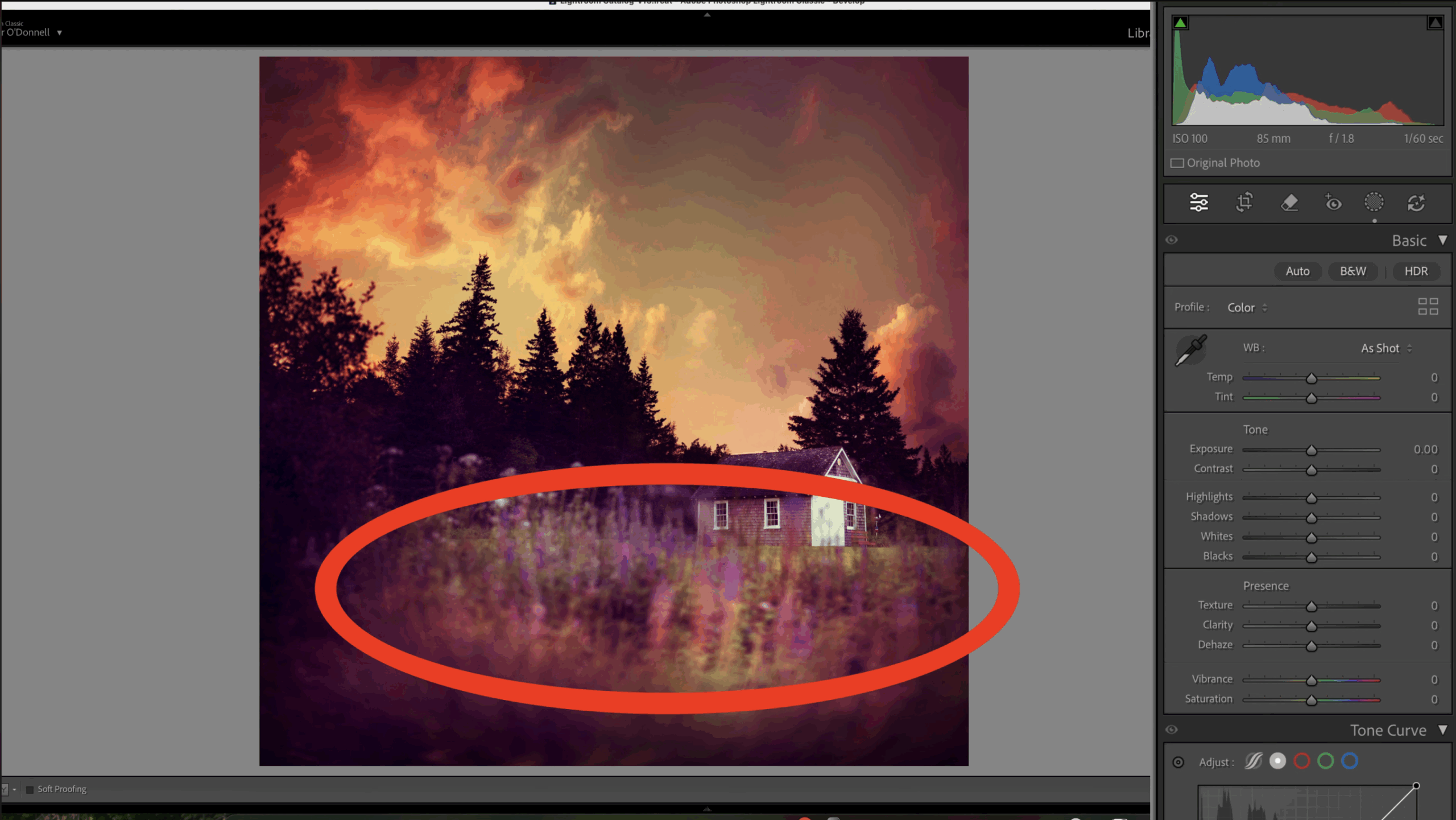
This lesson establishes a shared language for color processing in Lightroom and reframes color as a creative decision rather than a technical adjustment. It clarifies how hue, saturation, and lightness interact at a foundational level, helping you diagnose why colors feel “off” before reaching for corrective tools.
The focus is on building awareness and intent early, so later adjustments remain purposeful instead of reactive.
MODULE 2
Establishing Your Creative Thesis
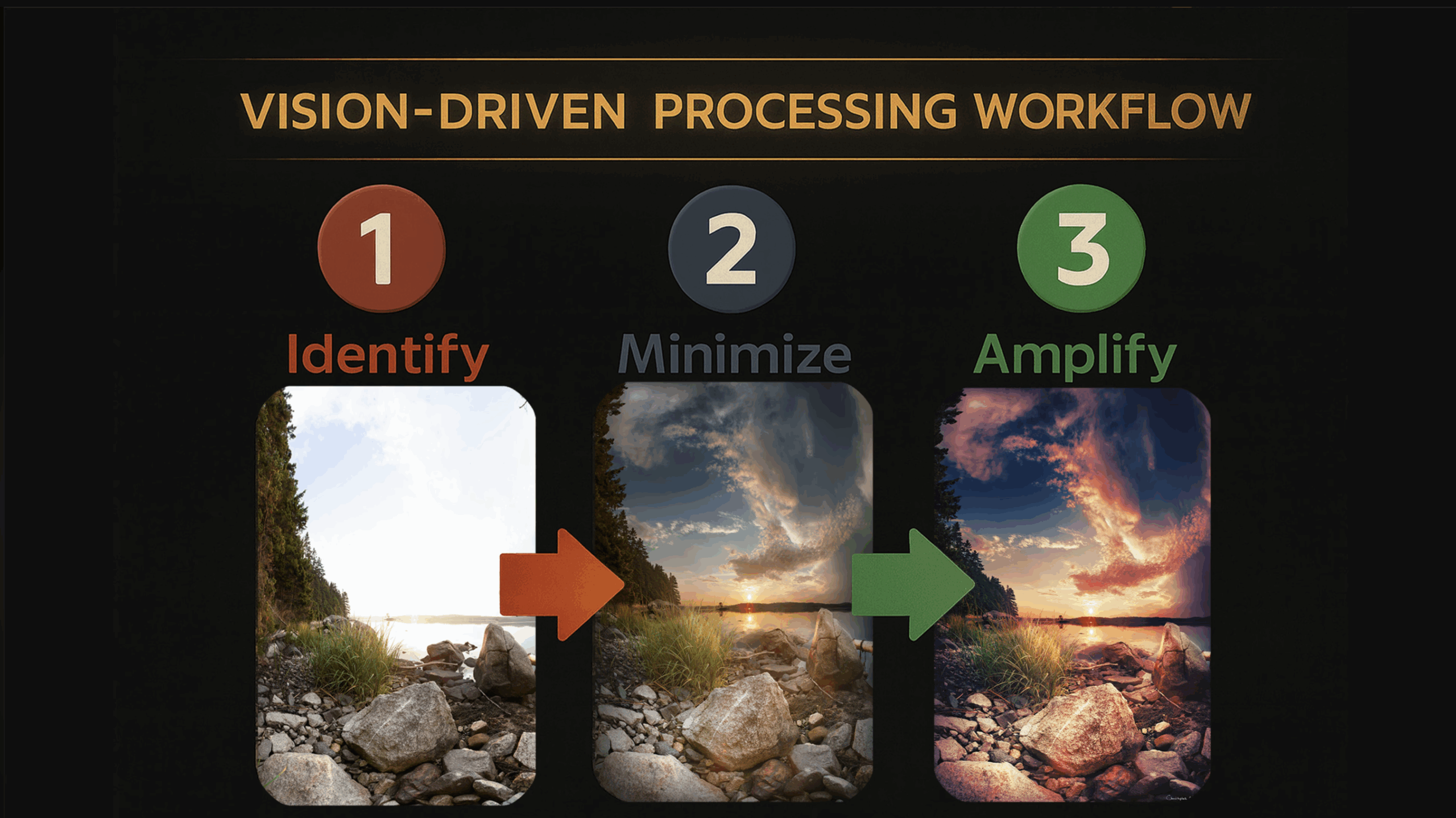
Color processing should be guided by creative intent and shaped by the unique content of each image. In this lesson, you’ll learn how to define a clear creative thesis and use it as a consistent framework for every color decision that follows. It addresses a common frustration among experienced photographers: images that are technically sound, yet lack emotional clarity and visual cohesion.
MODULE 3
Choosing the Right Profile
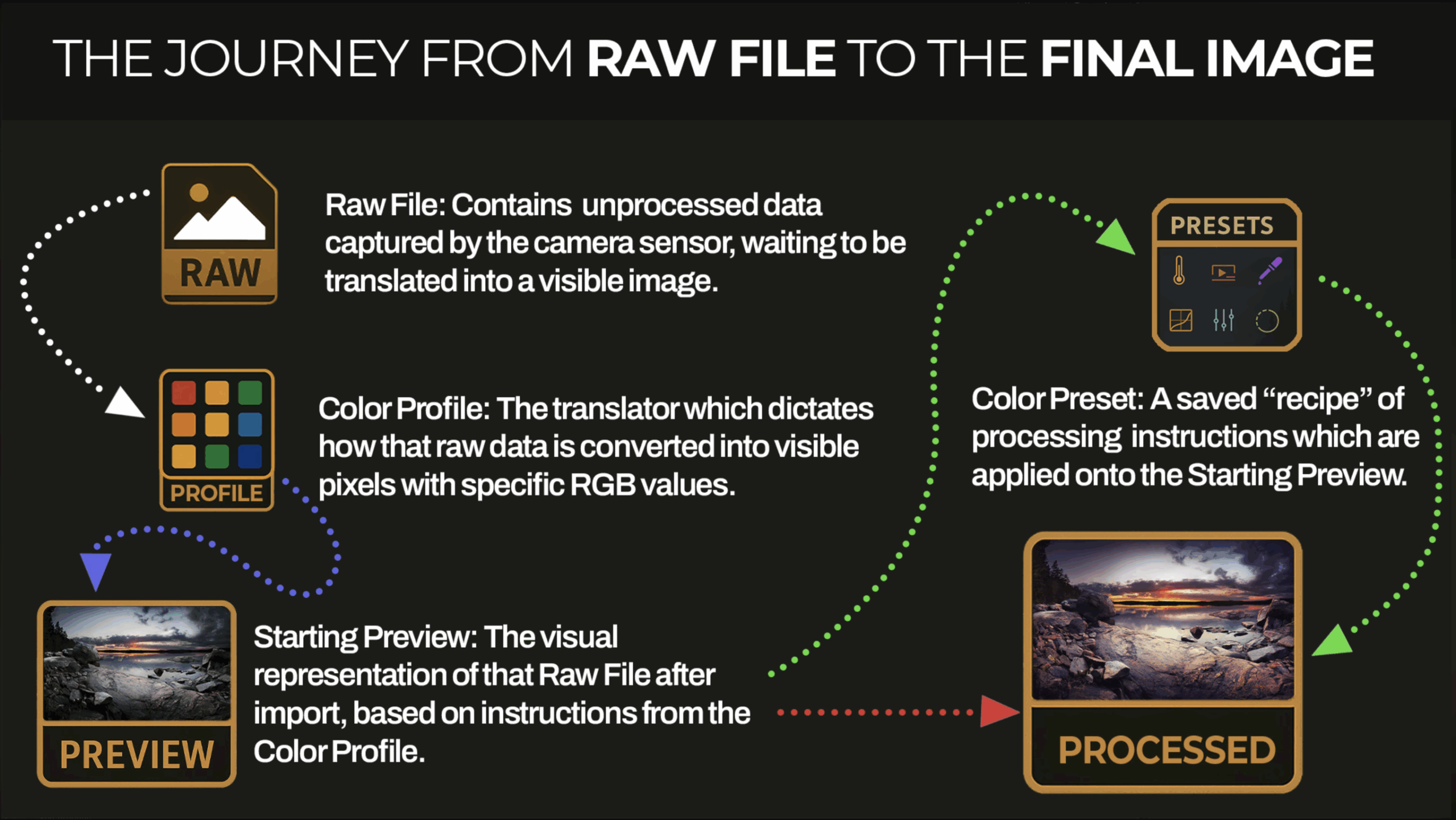
Color profiles play a crucial role in how Lightroom interprets color and lightness from your RAW file, yet they’re often treated as an afterthought.
In this lesson, you’ll learn how to choose the right color profile early on, ensuring you retain the full range of detail needed for high-quality processing later. Rather than serving as a generic starting point, you’ll see how profiles establish the color “baseline” that every subsequent adjustment builds upon…leading to greater consistency and flexibility, which enhances your overall image quality.
MODULE 4
Bird’s Eye View of the Color Workflow
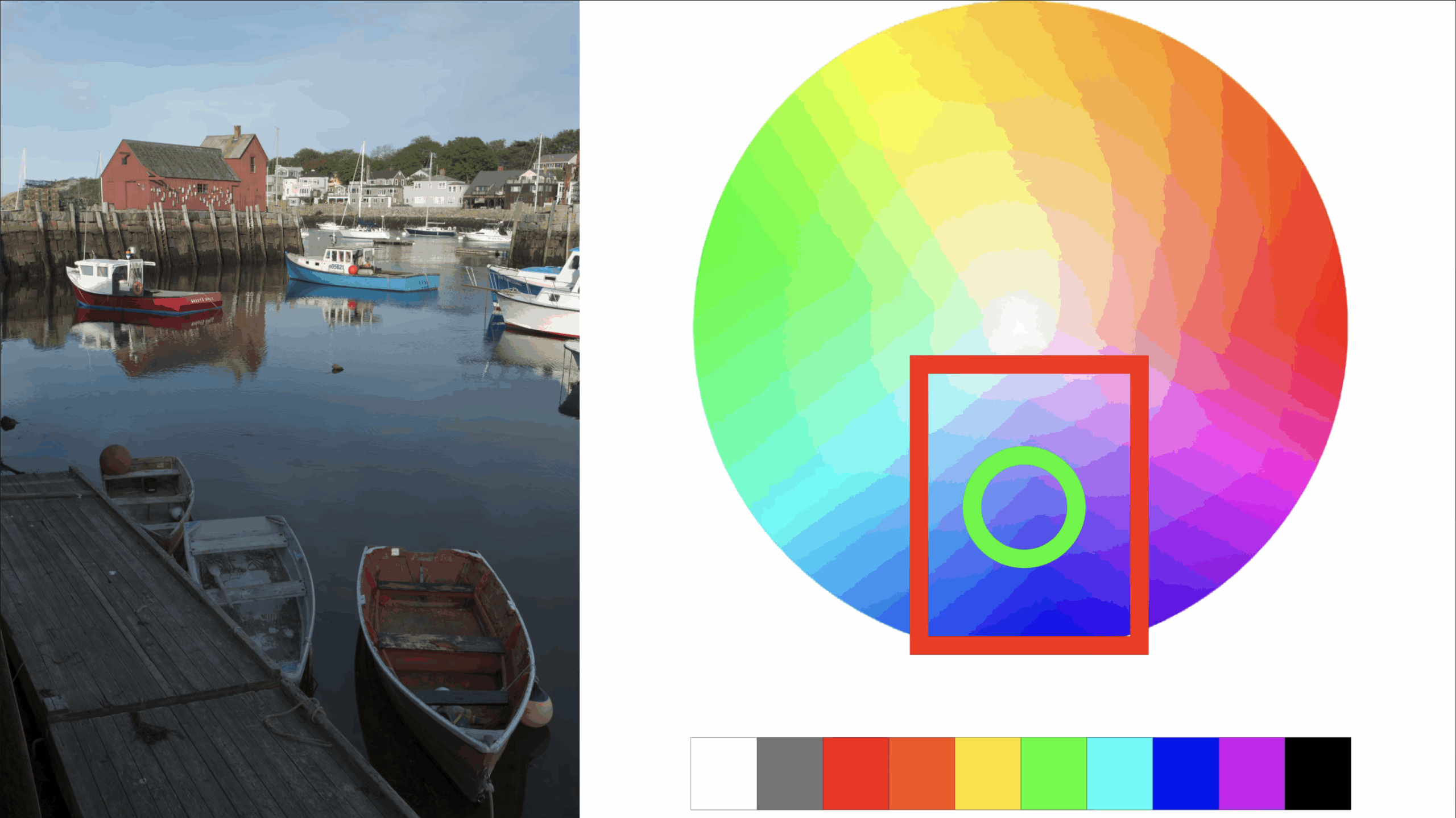
This lesson offers a guided walkthrough of the full color processing workflow, showing how individual adjustments connect and build on one another in practice. You’ll learn how to move through color decisions deliberately, responding to the image as it develops rather than following a rigid, step-by-step formula.
It’s designed to give you a big-picture view of the entire process, so you can clearly see what we’re working towards before diving deeper into technical tools.
MODULE 5
Why Most Color Workflows Don’t Work
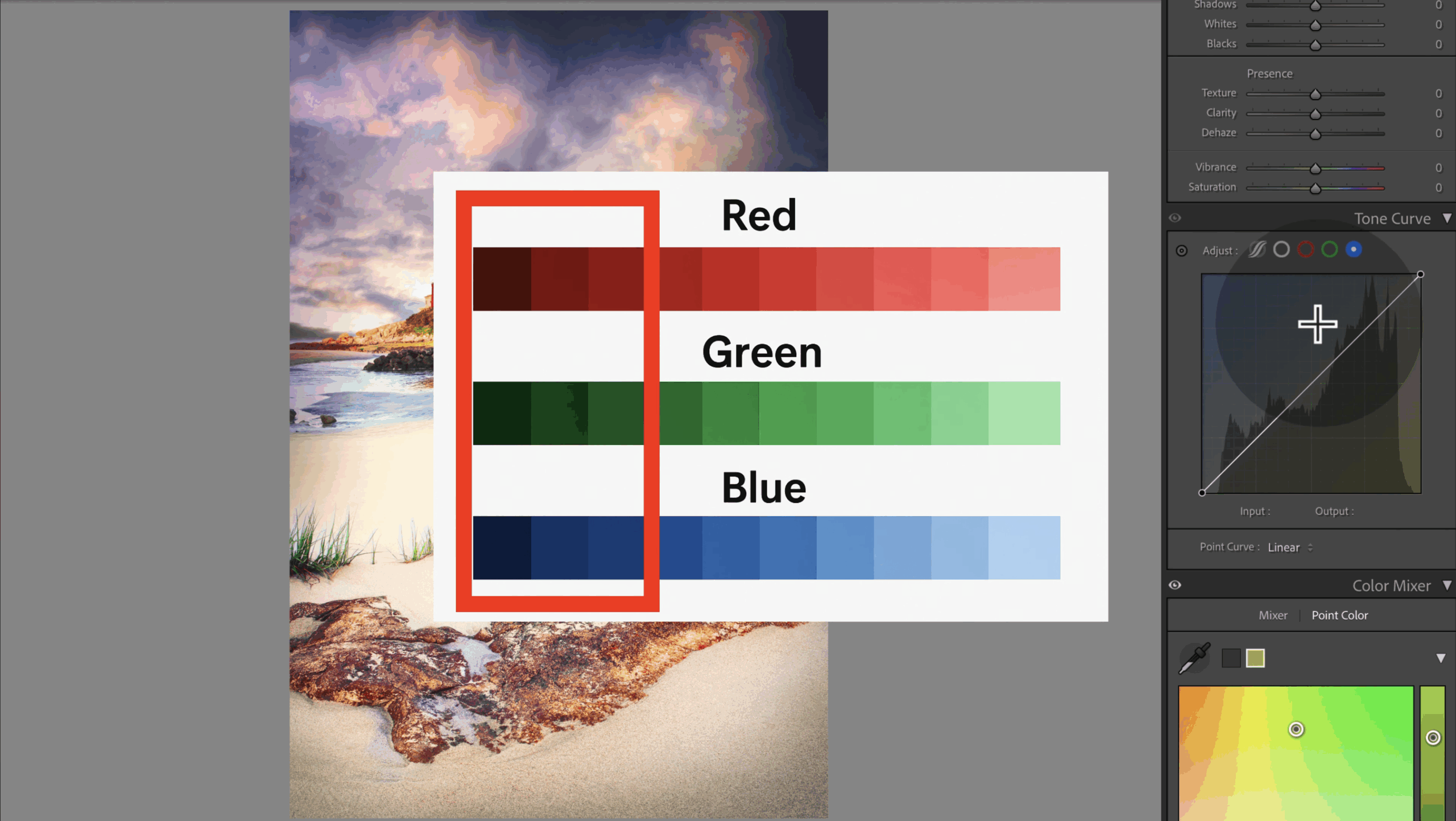
Most photographers approach color processing using the wrong framework, which sets them up for failure before they even start.
This lesson reframes your workflow as a responsive, intent-driven practice rather than a fixed sequence of adjustments. You’ll learn how color, lightness, and contrast interact as an image evolves – and why ignoring these relationships often results in muddy, abrasive, or otherwise poor-quality color.
MODULE 6
The Color Mixer
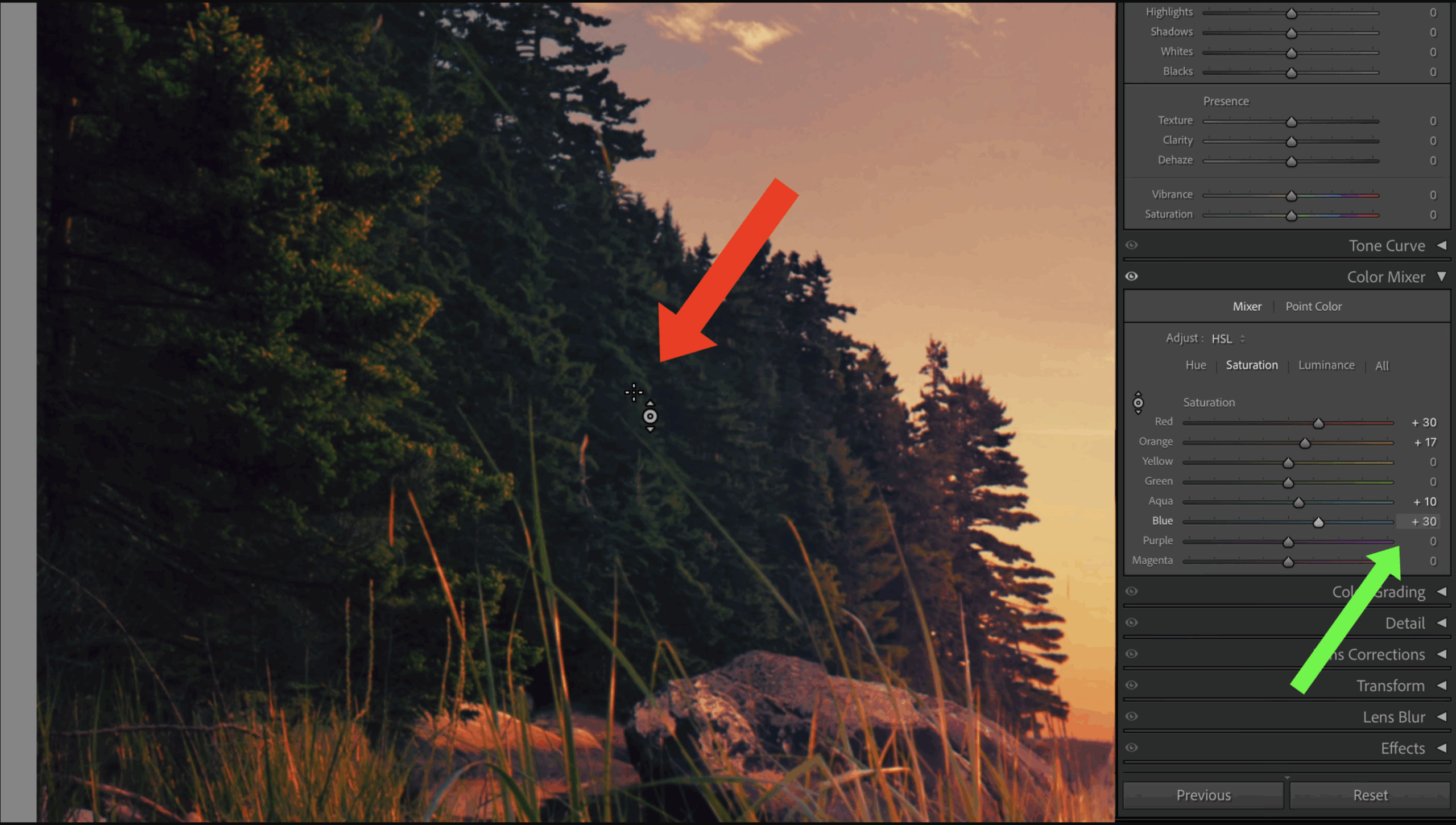
Join me for an in-depth exploration of the Color Mixer as a precision tool. You’ll learn when and why to use it, how it interacts with your other color controls, and how to avoid the subtle mistakes that lead to muddy or impure color.
The emphasis here – and throughout the course – is on making deliberate, intentional hue adjustments rather than chasing visual “pop” through saturation alone.
MODULE 7
The Point Color Tool
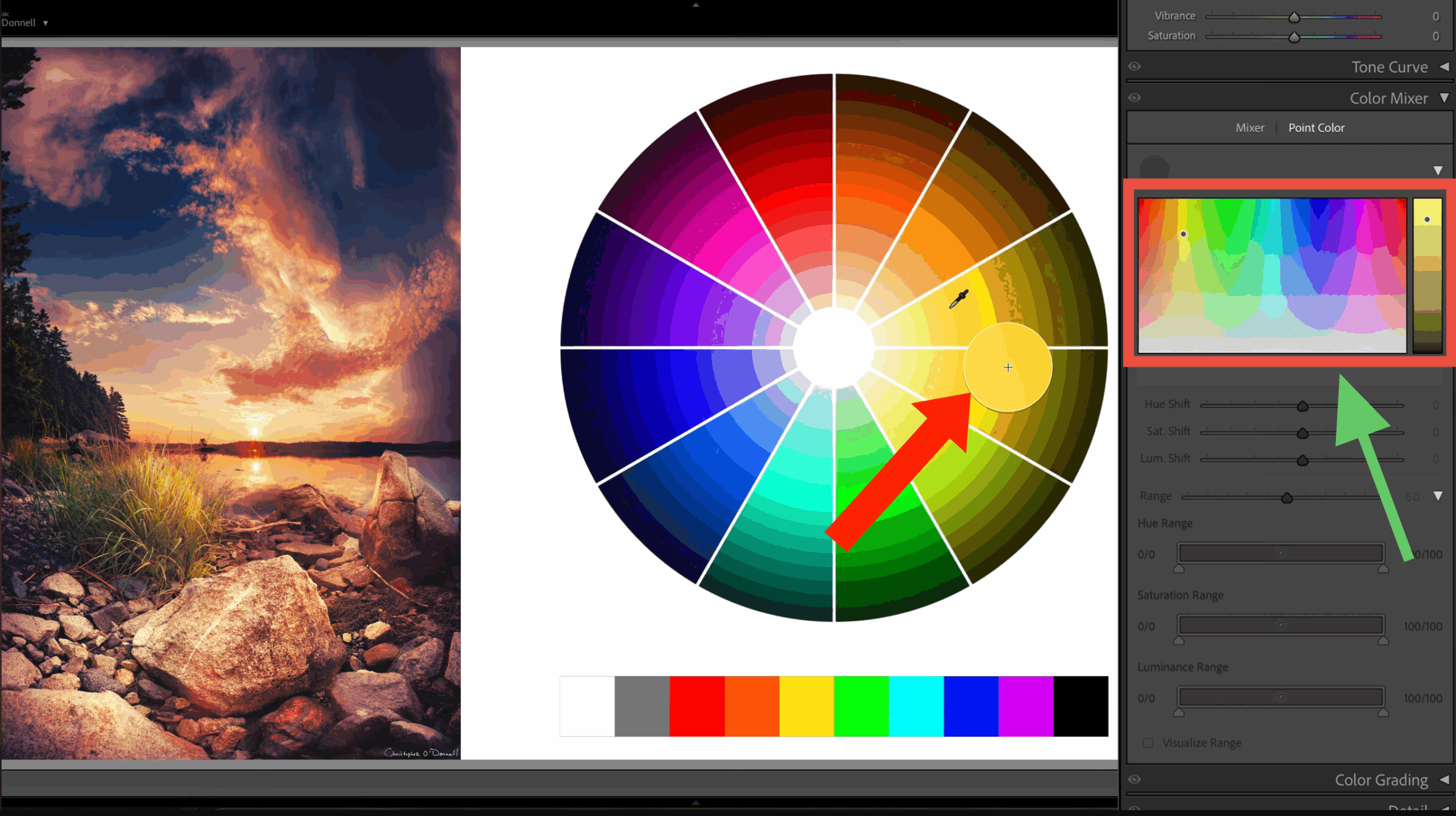
This lesson shows how to use Point Color with intention rather than trial and error. You’ll learn to take full advantage of its most powerful features – including sampling strategy, setting HSL range and falloff limits, and balancing variance.
When Point Color is used without intention, even small missteps can introduce blotchy transitions and pixelated color. Used correctly inside the masking panel, however, it becomes a precise, controlled way to achieve clean, professional-grade color adjustments.
MODULE 8
The Curves Panel
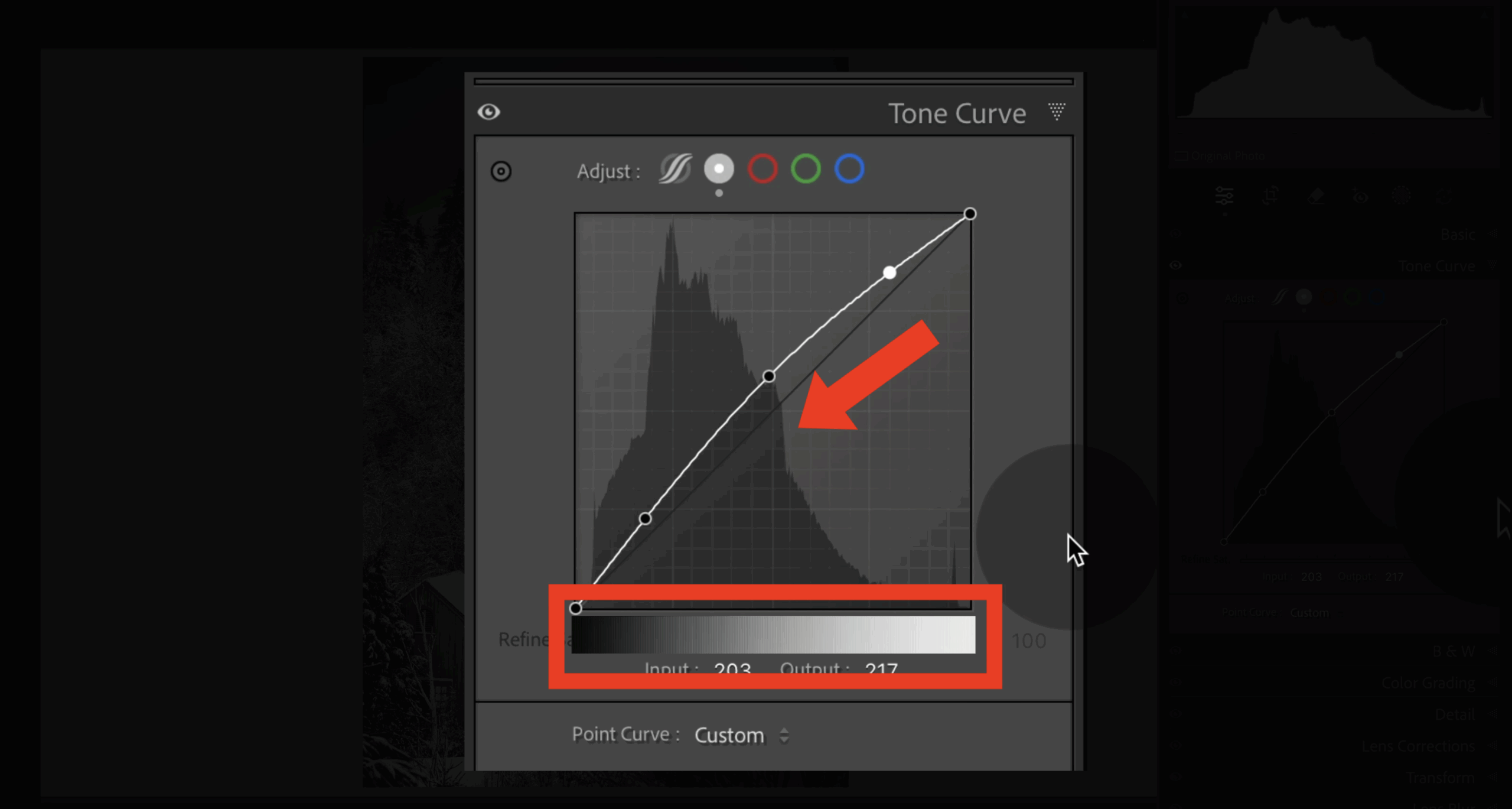
This lesson is a focused deep dive into the curves panel – the most powerful control station in your color workflow, and the longest lesson in the course by design.
You’ll learn how to use curves to shape lightness, color, and contrast at the pixel level…giving you precise control over both individual adjustments and how they interact. By treating curves as a foundational tool for building your colors rather than a stylistic effect, you’ll resolve common issues like harsh transitions and blotchiness, producing images with smoother tonality and stronger visual balance.
MODULE 9
Color with Advanced Masks
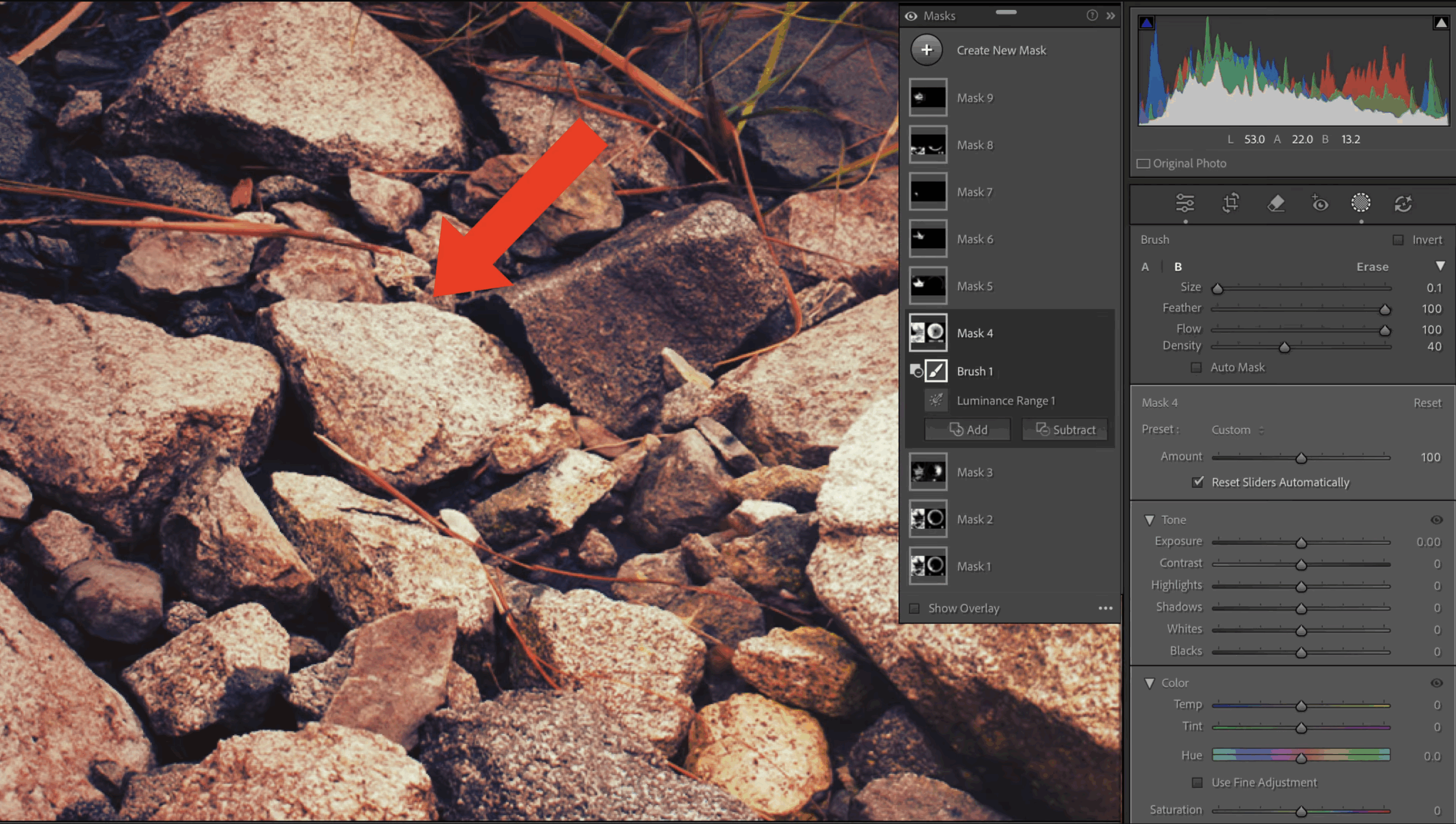
When color adjustments are made inside the masking panel, Lightroom reaches a level of precision that previously required Photoshop. Because at a certain point, global tools begin to chip away at your image quality: skies turn blotchy, shadows lose texture, and subtle transitions fall apart.
In this lesson, you’ll learn how advanced selection methods allow you to isolate color at the pixel level, improving overall color quality. This leads to stronger image structure and more refined, deliberate, and predictable color adjustments.
MODULE 10
Introduction to the Color Grading Panel
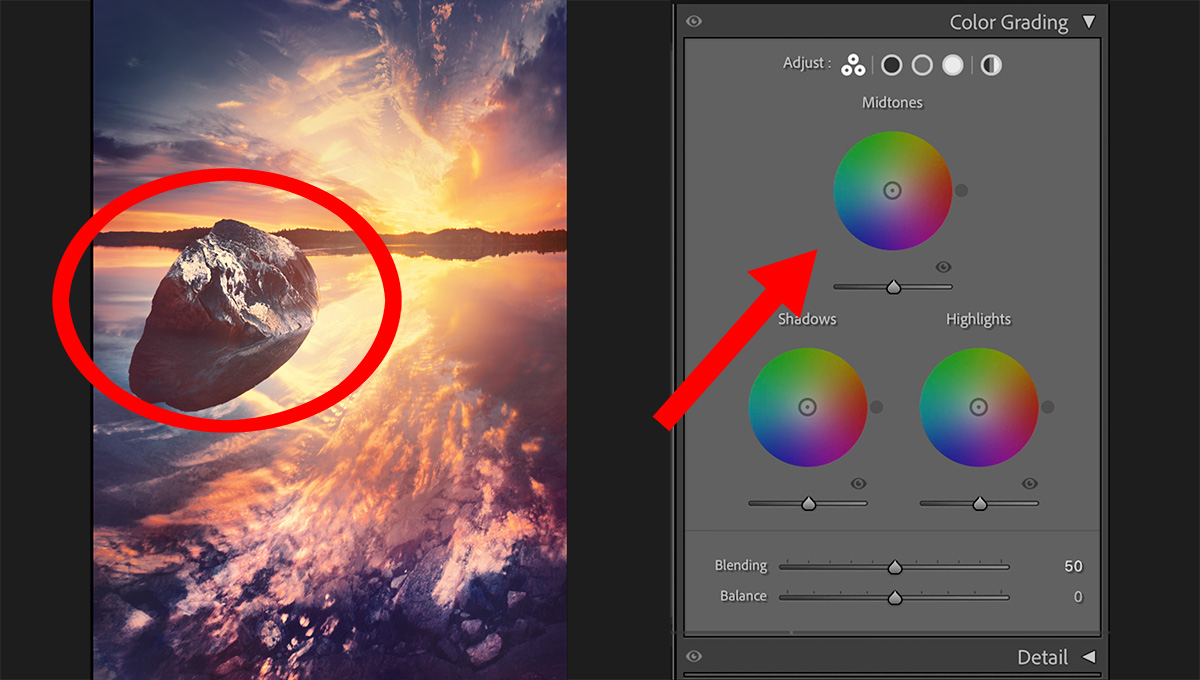
Grading is a subtle yet powerful part of the color workflow, capable of shaping the emotional impact of an image once you’ve built up a solid color structure. This lesson reframes grading as an interpretive step – focused on how an image should feel, not just look.
By taking a clear, bird’s-eye view of the grading process, you’ll learn why Lightroom deliberately separates this panel from your other color tools – setting the foundation for the more detailed, hands-on exploration in the next lesson.
MODULE 11
Color Grading Panel: Full Walkthrough
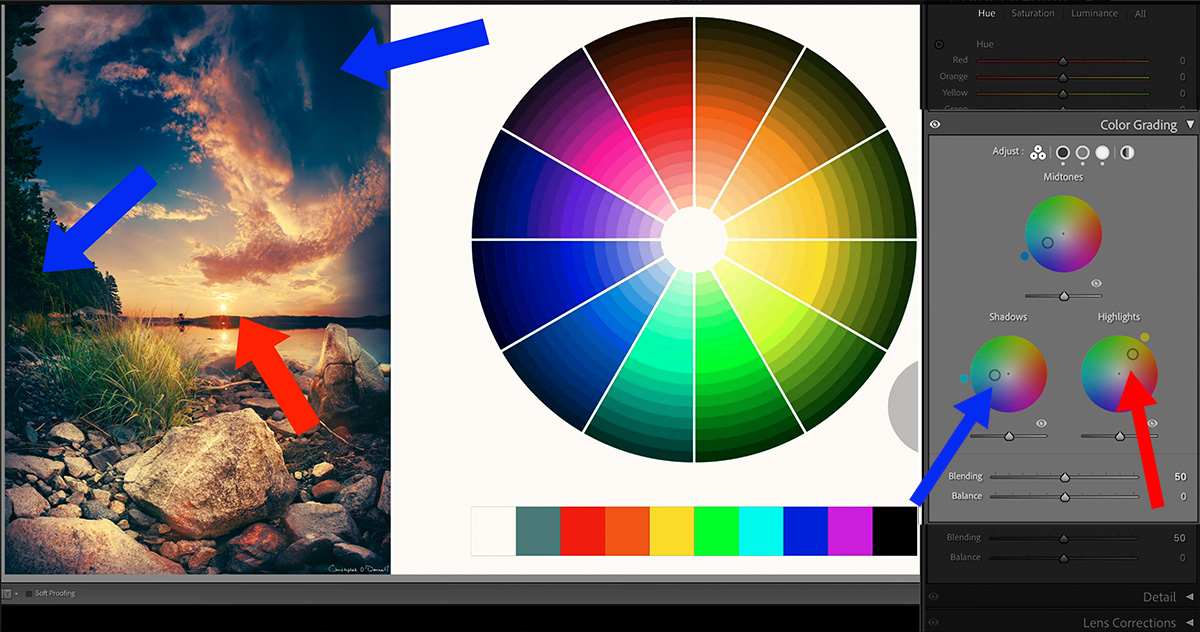
Now that we’ve reframed how to approach color grading, this lesson moves into a clear, start-to-finish walkthrough of the panel itself.
You’ll learn how grading builds on the colors you’ve already processed to refine mood, balance contrast, and shape the perceived depth – without introducing artifacts or otherwise degrading image quality.
Discover how to grade highlights, midtones, and shadows independently, smooth tonal transitions, and strengthen color relationships that support the image while easing back on those that work against it.
MODULE 12
Roadblocks in Color Processing
This final lesson brings the entire course together by addressing a common but rarely discussed challenge: knowing how to process color, yet feeling stuck when applying it to your own images.
You’ll learn a flexible evaluation framework built around shifting perspective – allowing you to quickly diagnose why an image feels unfinished, realign adjustments with your creative intent, and regain forward momentum without relying on rigid, step-by-step workflows.
Rather than having to add more tools to your workflow, this lesson reframes how you think about color decisions…helping you confidently adapt what you’ve learned to the unique content and demands of each image.

Included
Whether it’s your first question or your fiftieth, I’ll be there with detailed, thoughtful support tailored to your work.
No expiration dates, no scheduled group sessions, and no generic replies from an assistant. Just direct conversations with a professional landscape photographer who’s fully invested in your success.
Yes, it’s a big time commitment on my part. But it’s one I stand by.
And I’m proud to say that there isn’t a single program available today that offers this level of one-on-one guidance.
STUDENT REVIEWS

Randall Huleva
The BEST photo educator I have personally encountered.
I just wanted to take a moment and thank you for the absolutely fabulous courses and tutorials that you have produced.
I have had a lot of memberships over the years – many with the biggest and most famous names in this business. However, I find your sincere, down to earth and extremely knowledgeable style – all while being one of the nicest and most humble people I have had the pleasure to work with – to be far superior to them all!
Your program has been one of the best investments I have ever made in my photography. I was skeptical at first because I had heard the same “sales promotions” pitched so many times before. While most of them ended up being a disappointment, your courses have exceeded even my most optimistic HOPES of what a good course should be.

Geoff Dawes
It is the most comprehensive and helpful course I have ever taken, and I have taken a lot of courses.
Well thought out and very well produced.
The “nuts and bolts” of the course, learning the myriad of buttons and controls, is done in such a way as to be extremely easy to follow and implement. But what puts this course a level above any other I have done is the fact that Chris explains in great detail why one would use the adjustments explained. This has meant for me that when I take a photograph my decisions are not just based on field conditions anymore, but also on what I can achieve later in post-processing.
Thank you Chris, you will never know how much I appreciate the incredible tutorials that you produce.

Paula Buermele
I stopped guessing and started editing with purpose — and I finally understood why my edits worked.
I began learning Lightroom with Chris’s free classes when I was new to digital photography and I knew nothing about how to process a photo.
Chris’s method of teaching is very methodical and the lessons are presented in a logical order. I was able to build a sensible workflow right from the beginning. No stone is left unturned in the creativeRAW modules. I not only built a solid set of processing skills, I built confidence in my results.
The most important thing I learned was how to analyze my photos to see what needed adjustment. I didn’t waste time just guessing what to do or experimenting and getting a pleasing result with no idea about how I got the result or how to repeat it on other photos.
I know I can count on Chris to help me work through a question or give helpful advice on how to solve a problem that eludes me.
I highly recommend these courses for photographers who want their photos to reflect the beauty of their work.

Wayne Gillepsie
I have asked him many times to explain things to me and his response is almost immediate and so helpful.
Chris’ knowledge of Lightroom is off the charts and his ability to explain it to newbies like me is equally invaluable. He is so dedicated to his craft and his sharing of this knowledge with the members just shows how passionate he is to teach the world how to master the very intimidating world of Lightroom Classic.
On top of that, the 24-7 one on one help is just as he states. A mere email away. I have asked him many times to explain things to me and his response is almost immediate and so helpful. He won’t make you feel intimidated to ask at any time.
I can say, because I have tried other sites, that you will never get this type of support without having to pay an awful lot more and have a subscription that constantly has to be renewed with additional funds ad infinitum.
My photography has improved immensely by viewing and using the techniques that are taught at Creative Raw. There were many times that I really wanted to throw a brick through my monitor when I used Lightroom. That is no longer the case. When I get stuck now I will just send a jingle to Chris and he will get right back with a detailed explanation of what I am missing. You will not be disappointed.



QUESTIONS?
I’m here to help at [email protected]

You’re Fully Covered With a 60-Day “No Questions Asked” Guarantee
If you feel like you haven’t got 10X the value of this program, I will promptly refund your money within 60 days of purchase. Absolutely no questions asked, and no hard feelings.
I’m happy to offer this guarantee because I am certain you will love this program. If you think there’s even a slight chance that this will enhance your landscape photography, you should enroll today as there is absolutely NO RISK in doing so.
Answers to Your Frequently Asked Questions…
Is this program best suited for total beginners or seasoned pros?
When I began outlining the content for each module, I did not want this to be “just another course”. This is meant to be a permanent education that grows and evolves with you as a photographer.
Each module starts out as if you were a true beginner, walking you through those essential first steps that will set you up for years of success in Lightroom….and then gently, but steadily, advance your skills forward to the expert level.
This program is a perfect fit for all levels since even the most advanced users will discover nuggets of gold that can completely change their workflow. And as you’ll find in the member reviews, many seasoned photographers were shocked to discover how much they didn’t know about Lightroom.
And with complete access to future content for LIFE, you’ll also learn advanced workflows that you can not find anywhere else….making this program well worth your one-time investment.
How Soon Can I Start?
That’s the best part: immediately! No need to wait for multiple gigabytes to download as you sift through folders of lessons. The entire program is loaded and ready to go as soon as you enroll, and lessons are laid out sensibly so you can easily navigate to the exact topic you want to start with.
Of course, you can also download every video for offline viewing – it’s entirely up to you. There is no expiration on enrollment, so you can log in at any time to watch and/or download the lessons.
Can I Download the Lessons for Offline Viewing?
Absolutely. The entire program is available via streaming and each video lesson can be downloaded to your computer with no limits whatsoever.
By offering both streaming and downloads, you can access the program from any device regardless of location or internet speed.
Can I Access the Program from Multiple Devices?
The program was specifically designed to be accessed from any device, and as many devices as you need. While you’ll probably do most of your work on a desktop/laptop, the streaming videos make it simple to watch on mobile and tablets. No access limits whatsoever.
What Version of Lightroom Should I Have?
The Lightroom modules are designed to work best with the latest version of Lightroom CC Classic (standalone desktop version).
Is There Any Fine Print to the Refund Policy?
If for any reason you decide that this program is not right for you, just let me know within 60 days of purchase and I will gladly refund your money. Absolutely no questions asked, and NO FINE PRINT.
I’m happy to absorb all of the risks and offer this guarantee because I am certain you will love this program, but I understand it may not be for everyone – so there is no risk whatsoever.
Still Deciding?
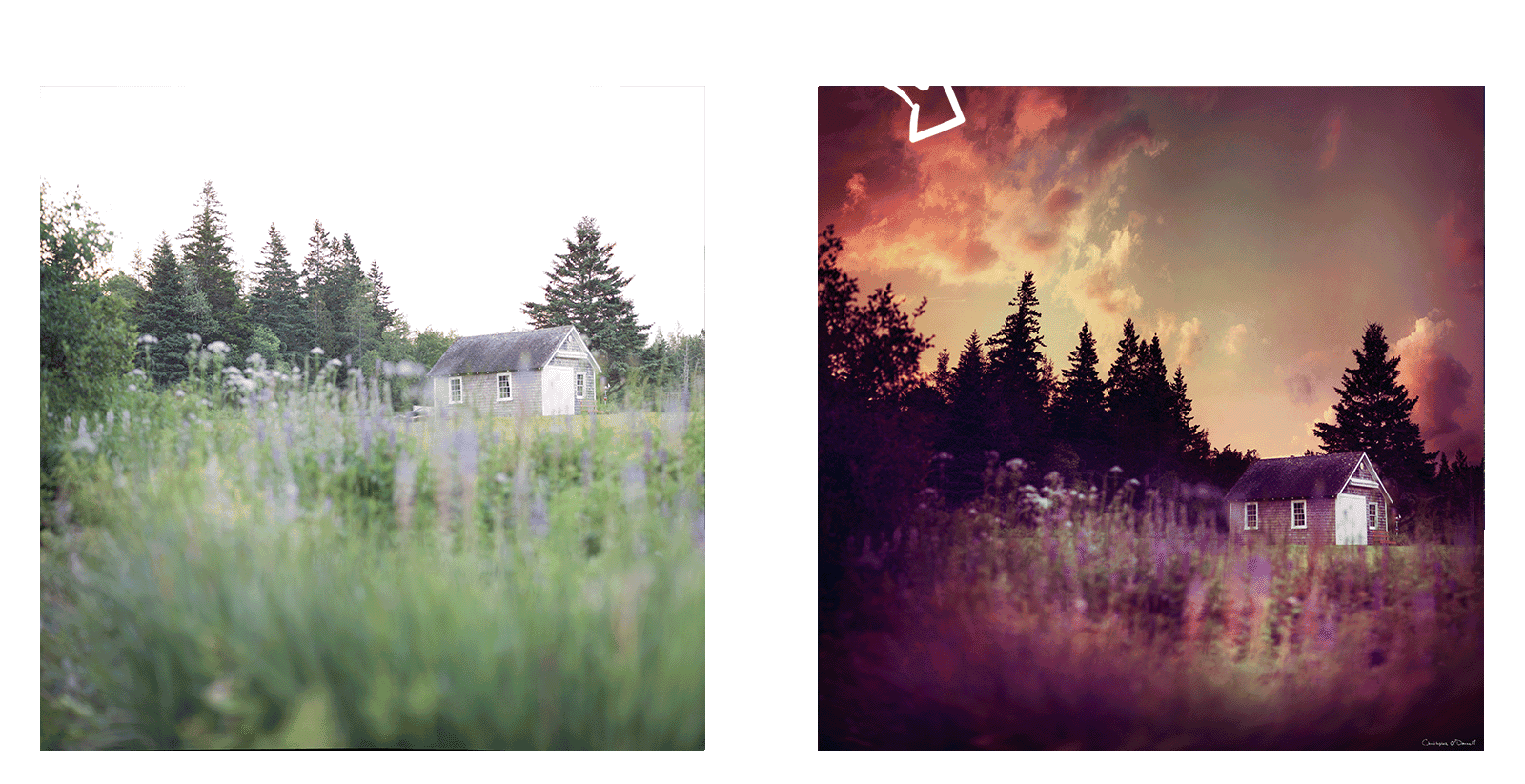
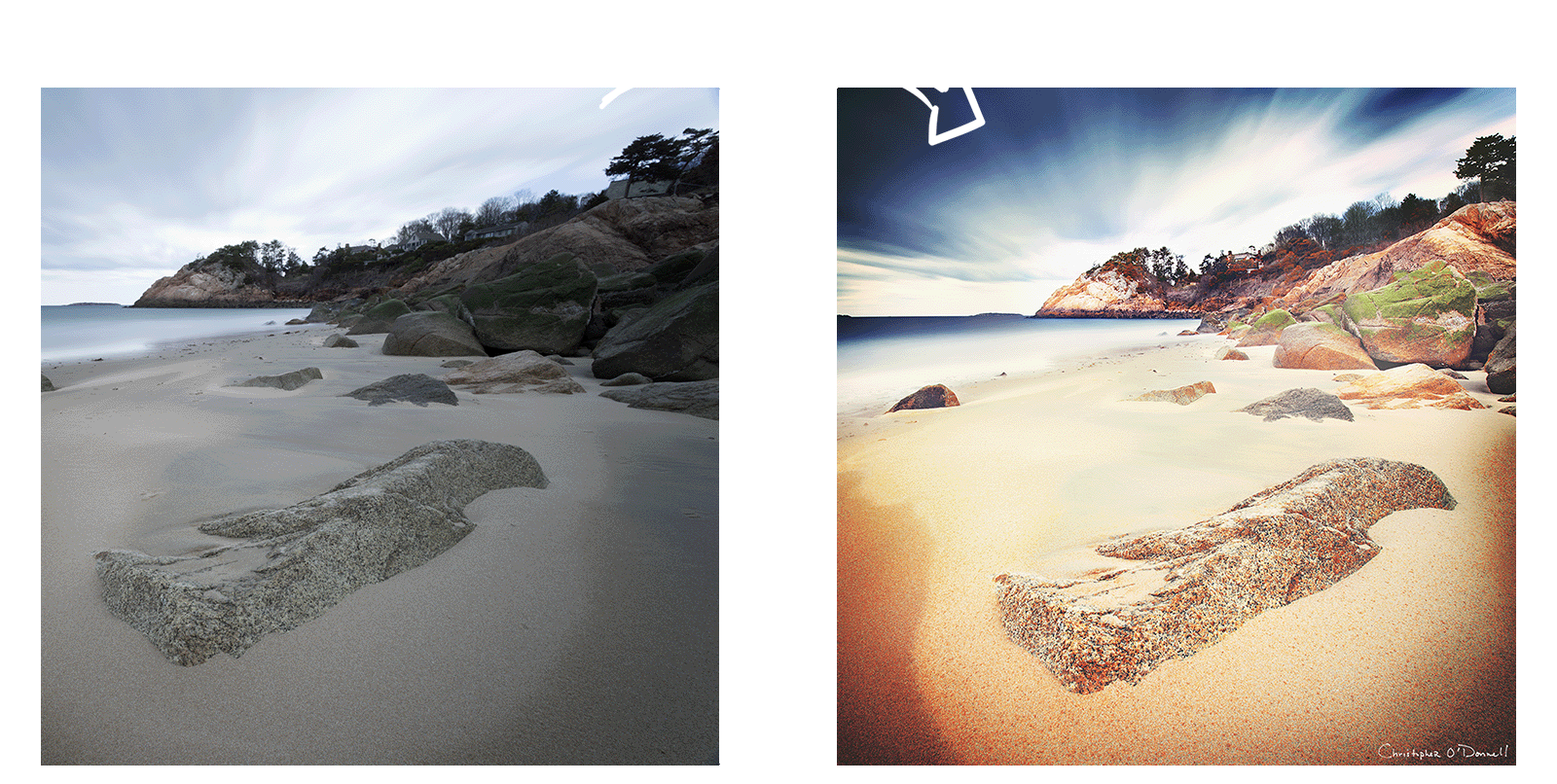
See the Difference an Intent-Driven Color Workflow Can Make
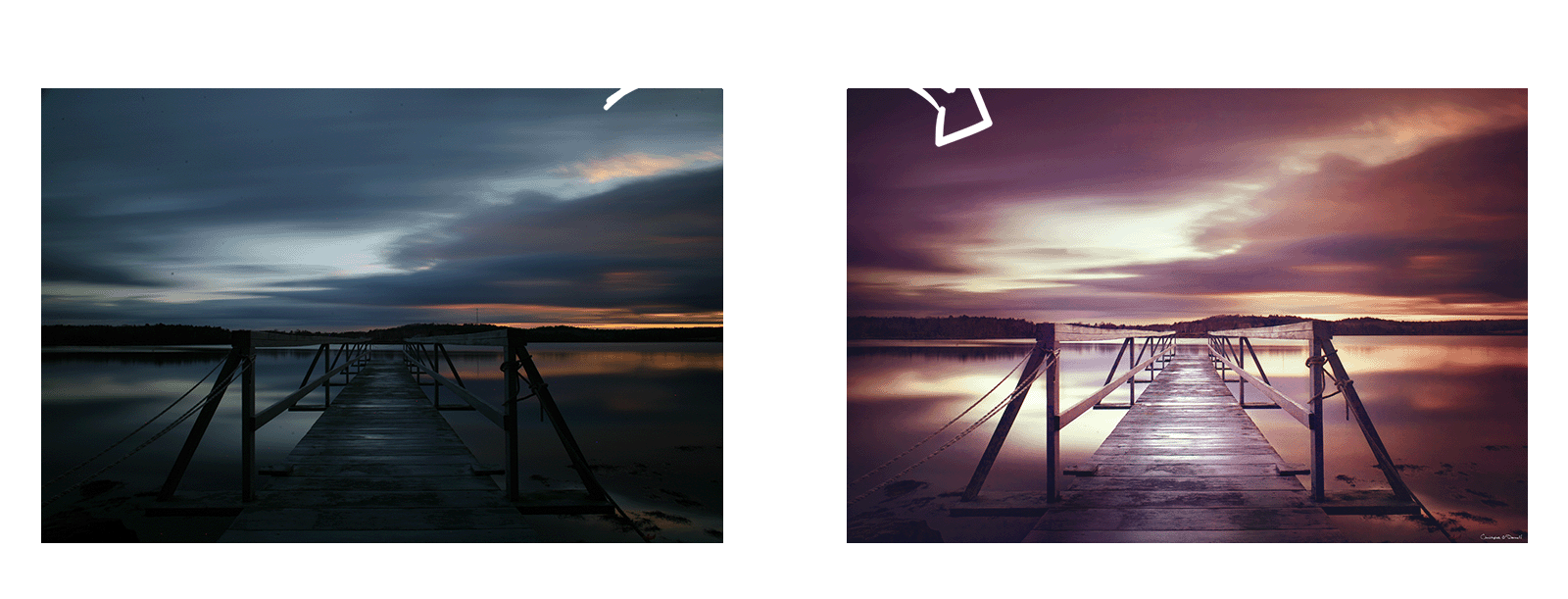
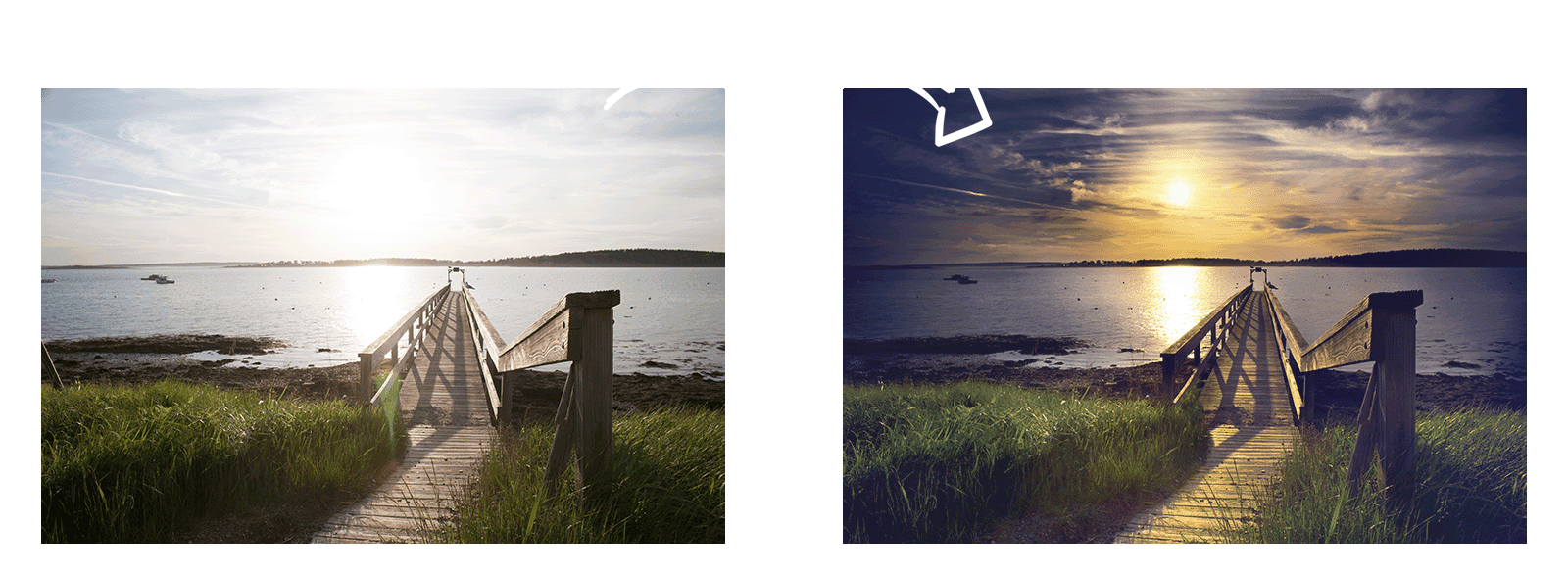

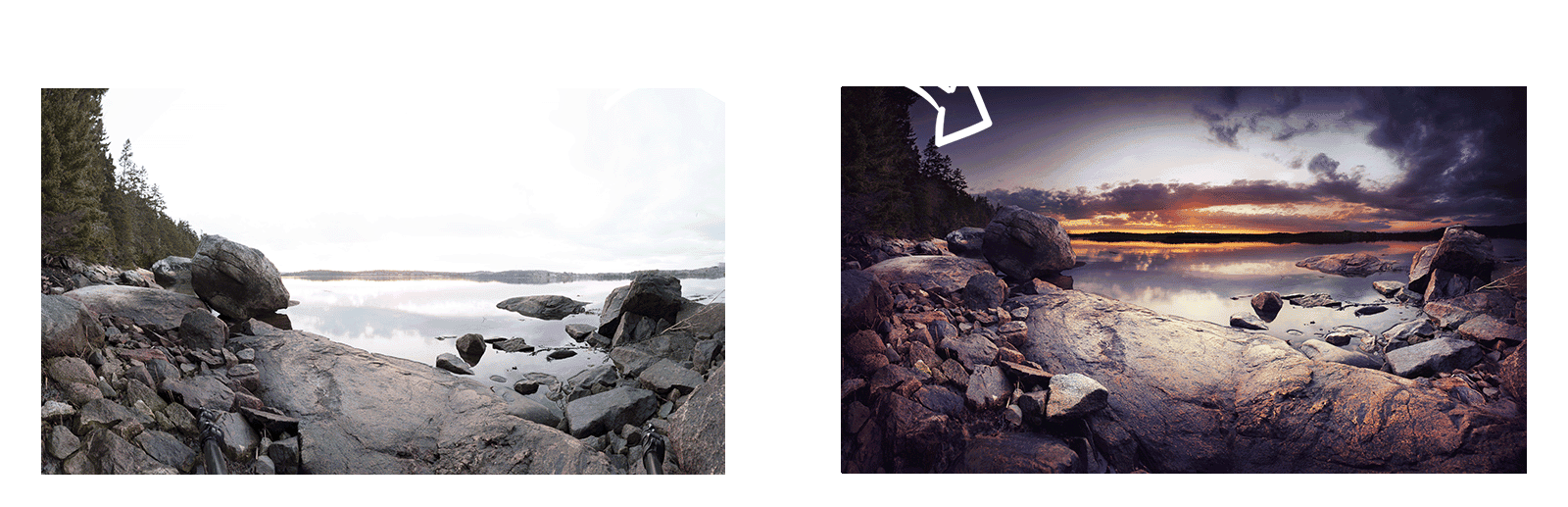
The transformations above aren’t just about enhancing the visual appeal with brighter skies or richer colors…
They represent the shift from random guesswork to intentional, expressive processing.
The Art of Color Processing teaches you how to create that same clarity and depth in your own work through a structured, repeatable process.
You’ll move beyond presets and quick fixes to develop an authentic and expressive workflow – one that turns your raw captures into fine-art photographs that feel as powerful as the moments you experienced in the field.
“It is the most comprehensive and helpful course I have ever taken…
Geoff Dawes
– and I have taken a lot of courses.
The “nuts and bolts” of the course, learning the myriad of buttons and controls, is done in such a way as to be extremely easy to follow and implement. But what puts this course a level above any other I have done is the fact that Chris explains in great detail why one would use the adjustments explained. This has meant for me that when I take a photograph my decisions are not just based on field conditions anymore, but also on what I can achieve later in post-processing.
The day I signed up to Creative Raw was the start of an incredible journey that has brought me much further than I could have ever imagined.”
Here’s the Short and Simple
Learning Lightroom isn’t about shortcuts – it’s about developing a clear, confident process guided by someone who’s been where you are.
Because without direction, it’s easy to lose time, momentum, and clarity trying to piece everything together from scattered tutorials.
This program gives you that structure from day one. You’ll learn how to color process the right way, the first time…so instead of fixing mistakes, you’ll understand how to avoid them entirely.
Whether you’re just starting out or refining years of experience, having a mentor beside you changes everything. You’ll gain focus, build skill with purpose, and develop your own color workflow that feels intuitive, expressive, and entirely your own.
If you’re ready to move from uncertainty to mastery, and want guidance that adapts to your growth for years to come…
I invite you to join me in The Art of Color Processing.
QUESTIONS?
I’m here to help at [email protected]
60-Day Money-Back Guarantee
Absolutely no questions asked,
and no hoops to jump through.
More Testimonials from Happy Landscape Photographers
Kevin O’Donnell
I was struggling with the vast array of tools and techniques, it was overwhelming. There were articles, courses, videos and so much more but none really clearly and methodically worked through what, how and why.
Having a traditional scientific education, the glitzy pumping music videos did very little. I needed a clear approach that methodically built towards a solution, repeating and expanding and growing my understanding of what and how the tools worked.
The absence of a step-by-step guide up a path that explained why we were going that way, and the best way to approach, presented in plain non-techie English.
What made me sign up to creativeRAW was the sound, steady, and structured presentation of practical information presented via video that allowed me to watch and repeat, watch and repeat and progressively conquer that ascent step by step in the true belief that I was being led by someone who knows what he was doing and someone who really enjoyed what he did as a science and art. What amazed me was how much deeper and thorough your knowledge was – which gave me the confidence that I had a great tutor.
This has to be the most informative and well-prepared set of education tutorials I have experienced. The depth and breadth of your knowledge is awesome and is so well presented. There is so much valuable experience and knowledge here that I will have to perform a series of repeat absorption lessons. Thank you.
Chris is an amazing teacher! His lessons are clear, well organized, and presented in a way that is helpful to beginners as well as more advanced Lightroom users. As an older (75 years!) learner, I appreciate the pace as well as the precision with which Chris presents his lessons.
Creative Raw is a major resource for helping me to grow as a photographer and as a photo editor.
Lynn B.
Julie
Stone
I was skeptical about a program offering a lifetime of future course updates for no additional fees…plus email support with questions and troubleshooting technical issues. But I will admit, I have been pleasantly surprised. Chris is a great trainer and his lessons are in a practical working sequence and are easy to understand. I have found that Chris is always quick to respond and continues to make improvements to keep his site and modules up to date.
I will tell you again “The money I spent for you and your program have been one of the best investments I have made”. I appreciate your quick feedback and efforts!!!!
I just completed your Lightroom lessons, and I would not have believed it, but my attitude toward Lightroom had done a complete reverse by the time I had finished the last videos.
I am a long-time Bridge and Photoshop user. When Lightroom was first introduced by Adobe, my first reaction to it was “Why would anyone need a program like that?” It looked to me as though the program was designed for professionals as a sorting and filing program, primarily.
By the time I finished those modules I had changed my opinion on Lightroom entirely. I was amazed at the tools in Lightroom today. I was particularly impressed with how easy Lightroom incorporates masking, normally something that requires lots of time to master, to do most of the work by ‘targeting’ specific areas in the photo to apply changes.
Going through your modules has definitely changed my mind about bringing Lightroom into my stable of workflow elements as an additional tool for doing those things that Lightroom does particularly well and, in some cases, better than Photoshop.
Thanks very much for the great package. It was a great investment and I learned a whole lot that I will be using from now on.
Richard Adduci